
Module 5.2: Encryption and protocols
Unmigrated media:Download Module 5 Pt 2.pdf (application/pdf, 435.2 KB)
Module 5: Cybersecurity Pt. 2
Key Terms:
- Malware
- Types of malware
- C2 servers
- Examples
- Protocols
- Definition
- Common protocols
- DNS
- Cryptography
- Hashing
- Encryption
- Usages
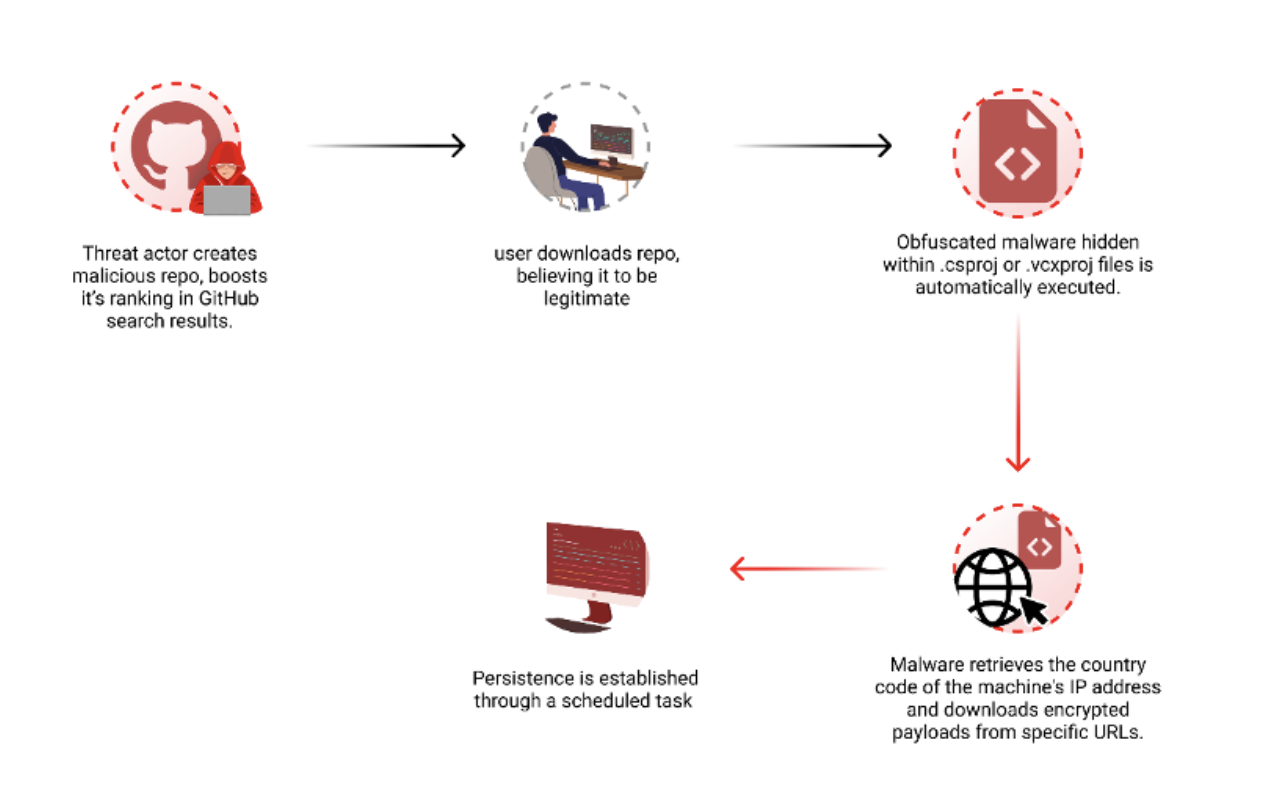
- Malware
- Malware is a word most people know nowadays from tech stuff, movies, etc.
- Malware = Malicious Software
Module 5: Cybersecurity Pt. 2 1
We’ve talked a bit about different types of hacking/pentesting in the first part of the module, so lets look at some real-life examples of malware used for hacking:
- Virus
- Malware that inserts itself into legitimate programs to look real
- Worm
- Self-replicating malware that spreads itself to as many computers as possible
- Trojan
- Malware that disguises itself as “real” software
- Ransomware
- Malware that encrypts user files/data and locks it until the user pays money
- Keylogger
- Malware that records what the user types and sends it back to the hacker
Module 5: Cybersecurity Pt. 2 2
In the cybersecurity field, we don’t really use the word hacker ever, instead we call them threat actors.
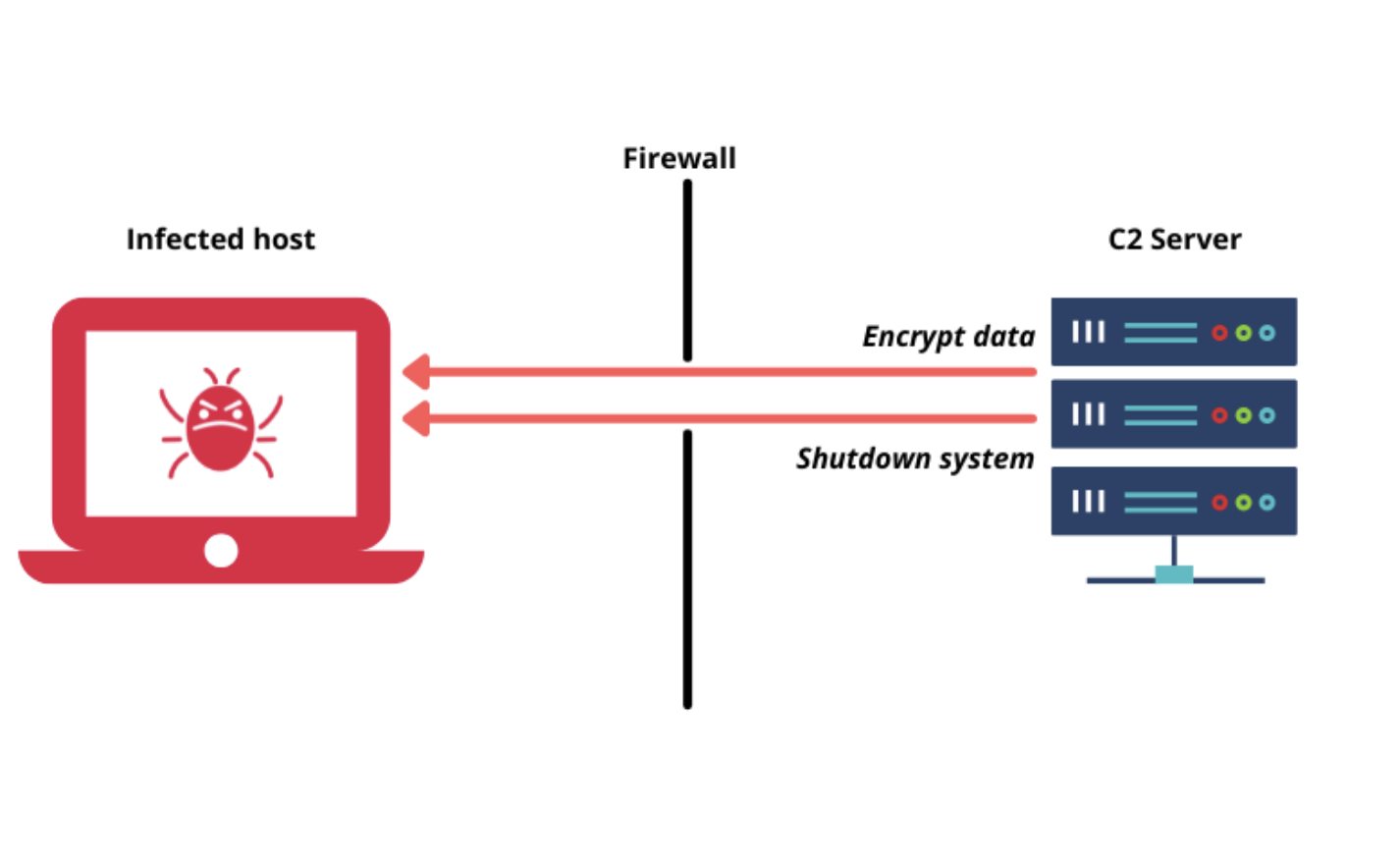
What is a C2 server?
A Command and Control (C2) server is like the mission control center for any malware. It is where all the stolen data is sent to from malware once it is successfully put on a users computer/network.
How it works:
1. A threat actor will put malware onto a persons computer successfully and compromise it
2. The malware will try to connect back to the attacker’s C2 server (which is typically hidden)
3. The C2 server will then send commands, receive stolen data, and remotely update/change the malware itself.
Common Protocols Used:
- HTTP/HTTPS (blends in with normal traffic)
- DNS (used for covert tunneling)
- IRC (older botnets)
- Custom encrypted protocols over TCP
Module 5: Cybersecurity Pt. 2 3
Malware isn’t only used by individual people, but governments are also known for using malware to spy on each other and in some cases cause physical damage,
such as:
Stuxnet (2009-2010)
One of the most famous pieces of malware ever written of all time, designed by the United States government as a cyberweapon to sabotage Iran’s nuclear enrichment facilities.
The malware would slowly over time make their physical centrifuges run faster and faster until they actually broke down into pieces.
https://en.wikipedia.org/wiki/Stuxnet
WannaCry (2017)
Ransomware that was spread globally to over 300,000 machines, demanding bitcoin from the users in order for their data to be decrypted
Caused a lot of money in damages and messing up computers all over the world
https://en.wikipedia.org/wiki/WannaCry_ransomware_attack
Module 5: Cybersecurity Pt. 2.4
watch this video on stuxnet, insane stuff:
https://www.youtube.com/watch?v=WyBlh8Tq6_Q
Protocols
What are protocols?
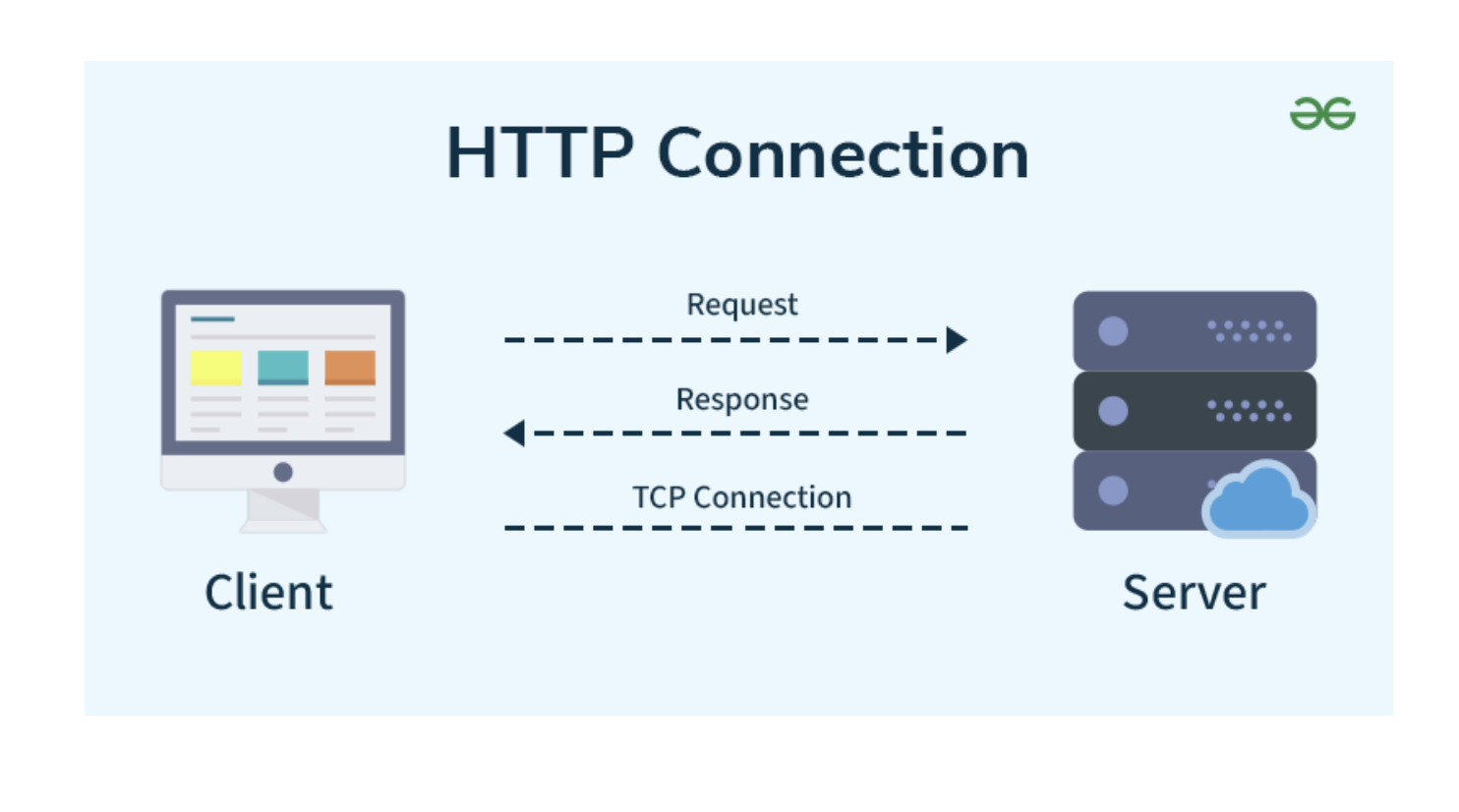
Protocols are basically a set of rules of how computers talk to each other.
Every time you do something on a computer like opening a website, sending a text, or streaming a video, your computer is using multiple protocols to make sure that everything is sent, received, and understood properly.
Common Protocols:
TCP
- Used when accuracy matters (ex: loading a website or sending an email)
- Slower, but reliable — makes sure every packet is received
- HTTP example
Module 5: Cybersecurity Pt. 2 5
- UDP
- Used when speed matters more than reliability (ex: video calls, games)
- Packets might get dropped or arrive out of order
- No handshake
- Used by websites to send data like HTML, images, and scripts
- Works on port 80
- Doesn’t encrypt anything — all data is sent in plain text
- ARP
- Used by your computer to determine the MAC address of devices locally before sending or receiving data
- Essentially helps your computer determine where to send packets/info
ICMP
- Used to send error messages, tests (such as pings), and status updates
- Helps determine and diagnose smaller problems
- This will be on the next quiz, so remember this example very specifically
- (essentially a free point if you’re reading the modules):
When you visit a website:
- HTTP sends the webpage
- ICMP says “This device is online” or “The page isn’t loading because the network isn’t responding”
Recap on stuff you learned earlier:
DNS (Domain Name System)
Module 5: Cybersecurity Pt. 2 6
- DNS converts names like google.com into IP addresses like 142.250.190.78
- Happens every time you visit a site
Real Examples:
You connect to a website:
1. DNS resolves domain
2. TCP handshake starts
3. HTTP or HTTPS request is sent
You join a game:
1. UDP is used to send quick game state updates
Hashing, Cryptography, and Encryption

Module 5: Cybersecurity Pt. 2 7
So what do we even do if there’s a million ways for viruses to steal our info?
When we talk about network security, we’re really just talking about protecting information and making sure it doesn’t get stolen, changed, or seen by anyone we don’t know.
Think of it like this:
Hashing = locking something in a box and throwing away the key
Encryption = locking something in a box with a key, so only the right person can open it
Hashing:
A hash takes any input and turns it into a long sequence of letters and numbers.
example:
"mypassword" → ef92b778bafe771e89245b89ecbc08a44a4e166c06659911881f
Why do we use it?
To store passwords safely
To check file integrity (if a file changes at all, the hash will completely change)
An example is SHA256, try it out:
https://emn178.github.io/online-tools/sha256.html
type in your name or anything you want, then change just one letter and see what happens
Module 5: Cybersecurity Pt. 2 8
Encryption:
Encryption takes an input and gives you the encrypted version along with a specific key to decrypt it.
Types of Encryption:
1. Symmetric Encryption (One key)
a. The same key is used to encrypt and decrypt (lock and unlock)
b. Fast and easy to use
c. Since there is only one key, sharing the key with people has to be done
safely
2. Asymmetric Encryption (Two keys)
a. You have a public key and a private key
b. Anyone can use your public key to lock a message for you
c. Only your private key can unlock it
Some examples of people/businesses that use encryption are:
- Messaging apps (WhatsApp, iMessage, Signal)
- Banking websites (Chase, Wells Fargo, etc)
- Cloud services (AWS, Azure, GCP)
If you’ve gotten to the end of this, make sure you know these for the upcoming quiz:
Malware and types of malware
Module 5: Cybersecurity Pt. 2 9
- C2 servers
- Stuxnet
- HTTP and ICMP (look at the example I put above)
- Hashing and Encryption
Module 5: Cybersecurity Pt. 2 10
Migrated from Apple Server Wiki. Original page ID: D7s458n9