
arduino notes
Migration
Unmigrated media: comp-eng arduino module.pdf (application/pdf, 3.9 MB)
comp-eng arduino module
We will be creating two foundational devices in progresscomp-eng: the arduino and the raspberry pi.
What is the difference?
Arduino is what is known as a PLC or programmable logic controller. If you load a program into it (usually by a cable connected to a computer) it will do one thing over and over. These are great for simple sensors, or in some robotics applications. Many automated things in your life are actually PLCs.
Raspberry pi is a complete computer running a version of linux OS called Raspian, a raspberry pi version of the most popular linux distribution called Debian, developed by a guy named Ian, named after his wife, Deb.
Arduinos are great tools for learning about the process of writing code, compiling code (making it into a language hardware can comprehend) and uploading to the device, which do simple things like blinking lights, or could measure the temperature of this room, or to run a motor based on some sensor, like in robotics.
Pi is great for learning about computers, the internet, cybersecurity, web pages and much more, so we’ll be using them next.
Arduino part:
Look at this:
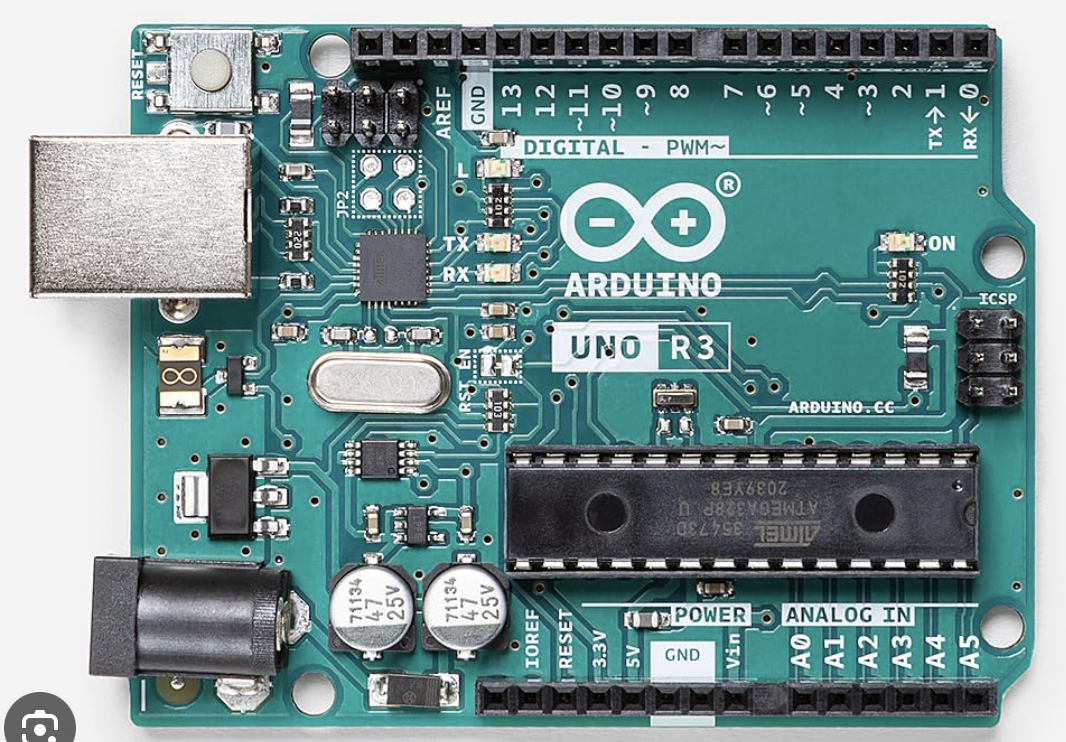
You will be using this book for this project: arduino.pdf
https://elab.hpa.edu/cs/arduino.pdf
(see below as well)
The format of the book is setup at the beginning (read carefully) then projects with diagrams of the components and how they are wired to the breadboard (white part)
Arduino steps:
1. Open Arduino app (green icon)
2. Tools->arduino uno, connect Uno
3. Port->usbmodem (when plugged in)
4. File->examples->USK guide code
5. open circuit 01
6. Sketch->verify/Compile
7. Sketch->upload
8. Modify code, repeat
Migrated from Apple WikiServer Wiki. Original page U9P3z4D0.ID: U9P3z4D0