
Module 5.1: Network security: pentesting, VPNs
Subsections
- Kali
- Network Security
- Firewalls
- VPNs
- Wireshark
- Cryptography
- Malware
- Social Engineering
- The cloud
Key terms:
- Kali linux
- Pentesting
- Network security
- VPNs
- Firewalls
Kali linux
What is Kali and why do people use it?
Kali Linux is a type of distribution of Linux that has a lot more tools for hacking/pentesting/info gathering. It comes installed with a bunch of tools such as:
- nmap
- whois
- netstat
- wireshark
imagine linux but fine-tuned for hacking
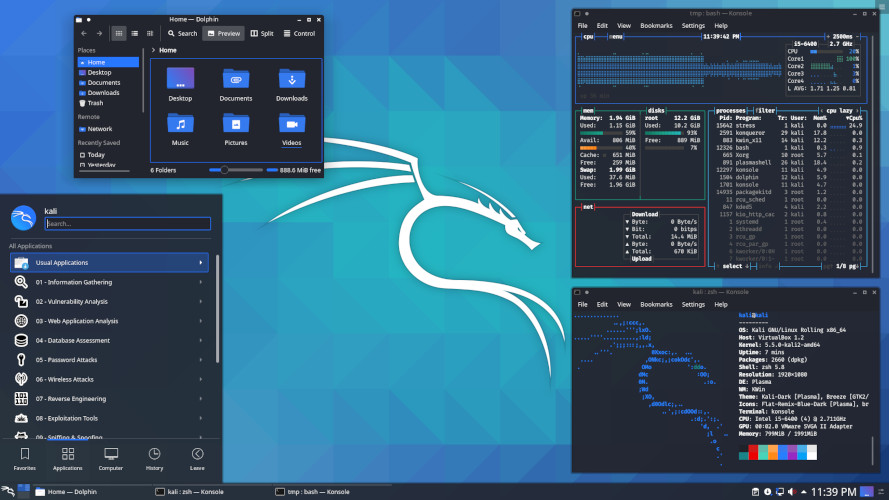
Remember wireshark and nmap, these two are really popular and used by people in the industry
some examples of using these tools (don’t do these, they aren’t legal):
I want to see all the traffic going through the network and what people are looking up
Kali → Wireshark → sniff for packets being sent on the network → decode the packets and gather info
I want to brute force my own password for testing purposes
Kali → John the Ripper → get a dictionary full of words → run a brute force attack that tests every possible combination of words and letters against the password
I want to see all the people that are connected to the same wifi as me
Kali → nmap → network scan → look at all connected devices and their IP addresses
people who work in the industry are hired use these tools often, such as:
- working for a company using these tools to monitor their security and see any potential threats
- hired by companies to test their security and try to find vulnerabilities which they then report back to the company
Pentesting
What is pentesting?
Penesting (aka penetration testing) is using tools like the ones listed above to simulate real-life attacks on computers, networks, databases, etc.
Remember earlier when I said people who work in industry are hired for this?
People are paid lots (and I mean lots) of money to simulate hacking into companies, as a hired expert finding a vulnerability is cheaper for a company than actually getting attacked by a group of hackers. These are also known as bug bounties, essentially looking for bugs or vulnerabilities within a company, finding them, then reporting back to the company and getting paid.
https://immunefi.com/bug-bounty/
What are some common methods of pentesting/hacking?
- OSINT (Open source intelligence)
- Looking for publicly available information about individuals to potentially find sensitive information as leverage to gain access to accounts or privileges.
- Dictionary attacks
- Using a list of common passwords to guess login credentials
- Brute force attacks
- Using every possible combination of characters until the correct one is found
- Phishing
- Sending fake emails, messages, etc to pretend to be someone else and gain sensitive data
- Man in the middle attacks (MITM)
- Intercepting online communication between two systems to gain information or steal data
Network Security
What is a network?
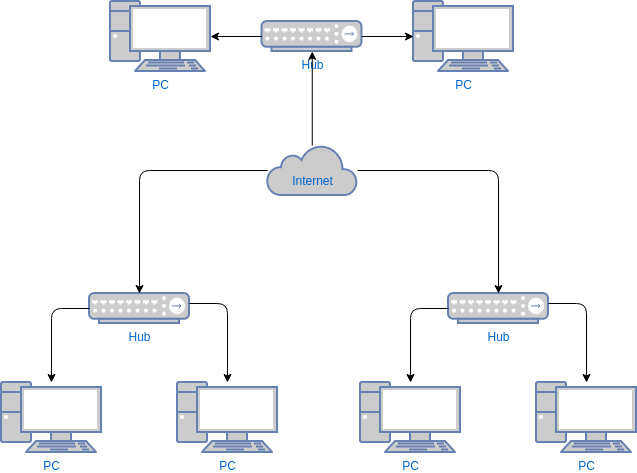
A network is a connection of two or more devices that send information to each other
As you know from previous modules, IP addresses are used by computers to send information to each other and create a network
Network Security involves protecting the connections between devices so that third parties cannot steal data or get info illegally
Try running these commands on your computers:
Mac:
lsof -i -n -P | grep LISTEN
Windows:
netstat -ano | findstr LISTENING
this tells you open ports, processes going on, and other info about what your computer is actively doing
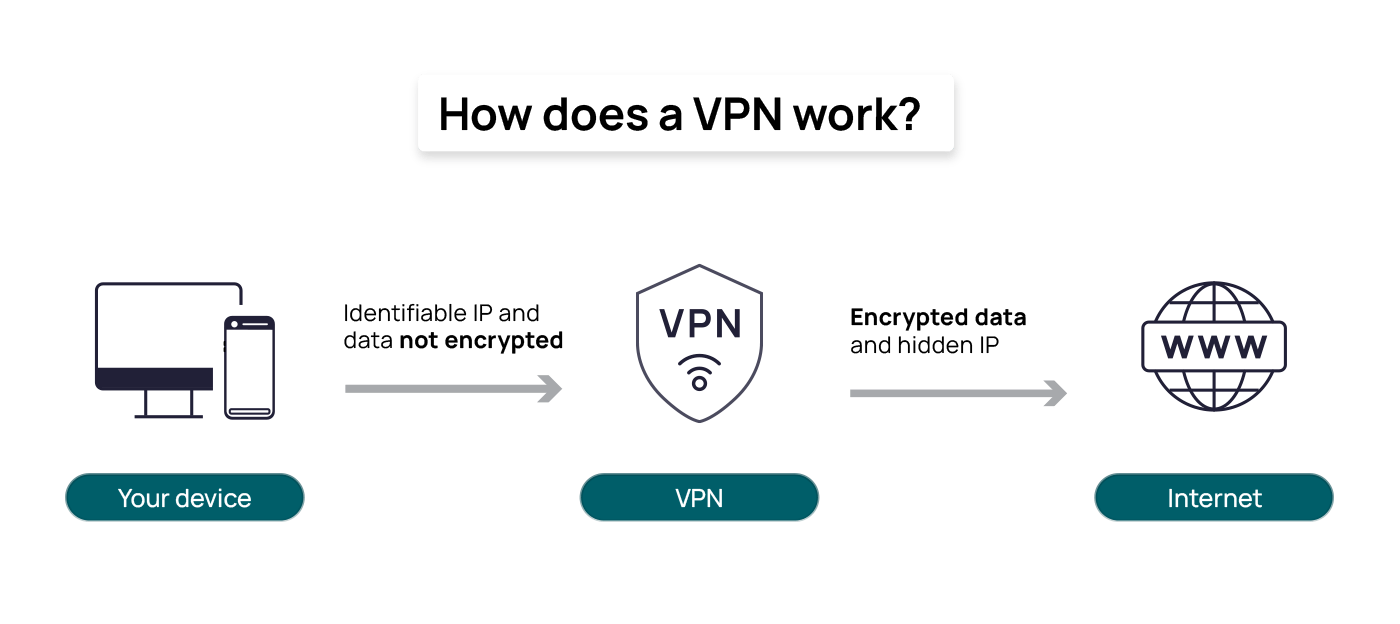
Some people use VPNs (virtual private networks) to create secure connections between their computer and other devices to conceal their real IP and identity
People also use Firewalls to protect their stuff, and your computer by default most likely has a basic firewall setup to prevent you from downloading and running malicious programs like viruses. Firewalls work by monitoring traffic on your computer and deciding what to allow or block.
Important to remember: Firewalls work by viewing packets, just like how wireshark is used to sniff packets being sent across the internet.
Firewalls exist for both hardware and software (both physical computers and applications) and are built into routers, pc parts, and common apps
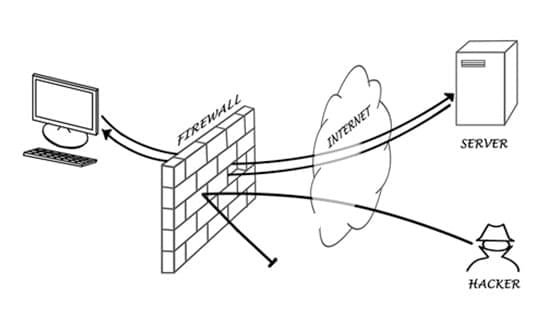
Network security is of course much more complex than these short definitions, but it can all be boiled down to information being sent to and from computers, and how we protect that information.
Wireshark
Wireshark is a tool that lets you view network traffic on both your computer and online networks.
the cool thing about a lot of these apps is that they’re open source, just like linux, and thus free to use and easy to understand how they’re built
lets try it out!
first, download wireshark from the website:
https://www.wireshark.org/download.html
next, do these steps:
- open wireshark
- you’ll see a list of available network interfaces, such as wifi, ethernet, etc
- choose a network interface (i.e. wifi) and start a capture
- this will start capturing all the packets sent on the wifi in real time
- visit a website online, such as http://neverssl.com (this link works well because it not encrypted)
- filter the traffic
- in the filter bar, type “http” or “ip.addr == YOUR_IP”
- you can find your own IP by typing this in terminal: “ipconfig getifaddr en0” or “ipconfig” for windows
- this narrows the traffic down to just your device
- look inside one of the packets
- click on a packet (look for ones marked “GET”)
- expand and see all the info from the packet
- you can now see the website you visited, the size of the packet, the destination IP addresses, and more
once you’re done, just click the red stop button and it’ll stop
congrats, you just used wireshark for the first time :)
Migrated from Apple Server Wiki. Original page ID: y7S562